
Enabling learners to organise their e-learning experience
Working at Kiron has been fulfilling, challenging, transformative.
- Challenge Learners lose track of programs they want to enroll later
- Industry Edtech (B2C, B2B)
- Target Audience Kiron learners, white-label partners
- Audience Scale 3.5k monthly active users
- Device Web & Mobile
- Research Qualitative interviews, usability testing, market research
- Steps Discovery → design → usability testing → developer handoff
- Constraints Design solution should fit a 2 week sprint
- Duration 1 week discovery research, 1 week design + usability testing
- Impact We finally gave some love to a long-standing user pain point
About kiron: working for an NGO
After my startup initiative came to an end, I started looking for a UX Designer position in Germany. Since it was my very first job search, I had yet no clarity on what I would like to do and where I would like to work. So, I was lost in a vast sea of rejections. 🐳 I wrote an article on that.
By the third month, when the company I was most enthusiastic about rejected my application, I felt quite hopeless. 🥲 It was that very night that I realised I wanted to work on something meaningful, prompting me to google “NGOs in Germany”. And that is how I found Kiron.
At last one hat less
At Kiron, my role as the sole Product Designer involved user research, UX & UI design for new features and improvements, as well as creating and maintaining the design system. On top of that, it required collaboration with various stakeholders. At last, I removed the developer hat, but never for a minute did I not use that knowledge to my advantage. 😎
Welcome to kiron campus
Kiron offers free online education to +175k refugees and underserved communities worldwide, providing a diverse range of educational programs on its online campus. The target group is called: the learners.
One common pain point amongst the learners was that they enroll into a program, so they don’t forget about/lose it, even if they do not plan to study it right away. However, this resulted into a cluttered overview page of enrolled programs.
The case study I’ve picked for Kiron is to show how I solved this trivial problem.
A new feature request
Adding items to a Wishlist was initially a feature request by a partner organisation. Wait, what, who is this now? At Kiron, besides the main mission of providing free education for the learners, the campus is also offered as a white label to other partner organisations who of course have their own target groups.
Upon getting partner requests that affected Kiron learners, I researched to discover the impact, as I wanted to understand if and how the Wishlist would be useful to them.
On one side, I was responsible for the experience of Kiron learners. On the other side, I needed to make sure that the white label partners and their target groups were also satisfied with the solution.
What do our learners think?
I conducted qualitative interviews with 7 Kiron learners. Through this research I discovered that a Wishlist had been a long-standing unmet need that they circumvented by enrolling into programs.
To synthesise interview data, I used the Atomic UX Research Canvas on FigJam. For every question, I separated the facts (their current pain points) from the insights (how they would like to use the Wishlist & other custom lists). Then I extracted opportunities (how we could design the solution).
Let me show you a simple and specific example, since I cannot disclose the full research.
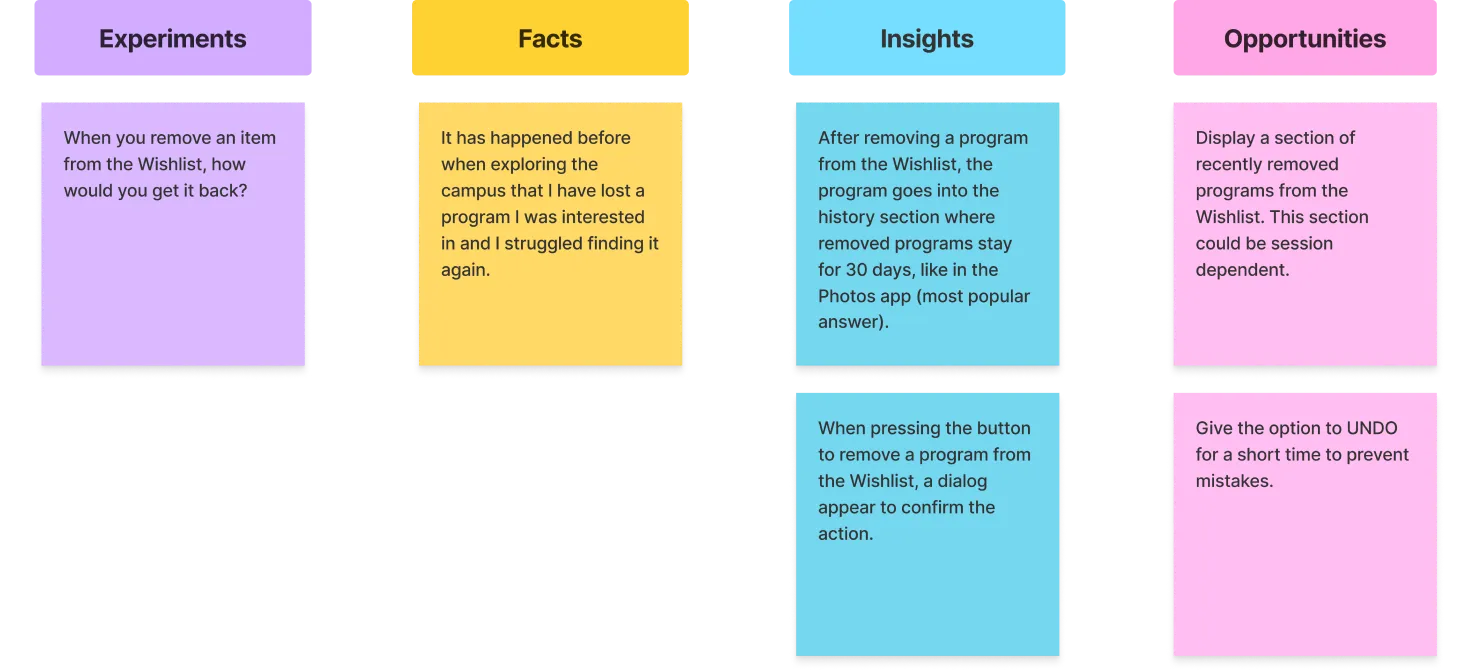 Atomic UX Research Canvas on FigJam — separating facts, insights, and opportunities
- When you remove an item from the Wishlist, how would you get it back?
Experiment:
- “It has happened before when exploring the campus that I have lost a program I was interested in and I struggled finding it again.”
Fact:
- After removing a program from the Wishlist, the users expect it to go into a history section where it stays for 30 days.
- When pressing the button to remove a program from the Wishlist, the users expect a confirmation dialog.
Insights:
- Display a section of recently removed programs from the Wishlist.
- Give the option to UNDO for a short time to prevent mistakes.
Opportunities:
The learners’ insights work in the context of deleting, where the action is irreversible. Deleting vs. removing are two different things. In our context we are talking about removing.
That’s why, I propose similar solutions as opportunities, which are common design patterns that work better in our context.
The agile UX
Kiron works agile with Scrum. That means that the stickies with opportunities on how to design a Wishlist on the campus, needed to be converted into user stories and prioritised for a 2 week sprint.
To help with prios, I used the Impact Effort Matrix. This matrix is of great help in determining the most effective course of action. At that point, I discussed the results with the Product Owner to be on the same page. We decided to go for the UNDO option, since we considered it as high impact and low effort.
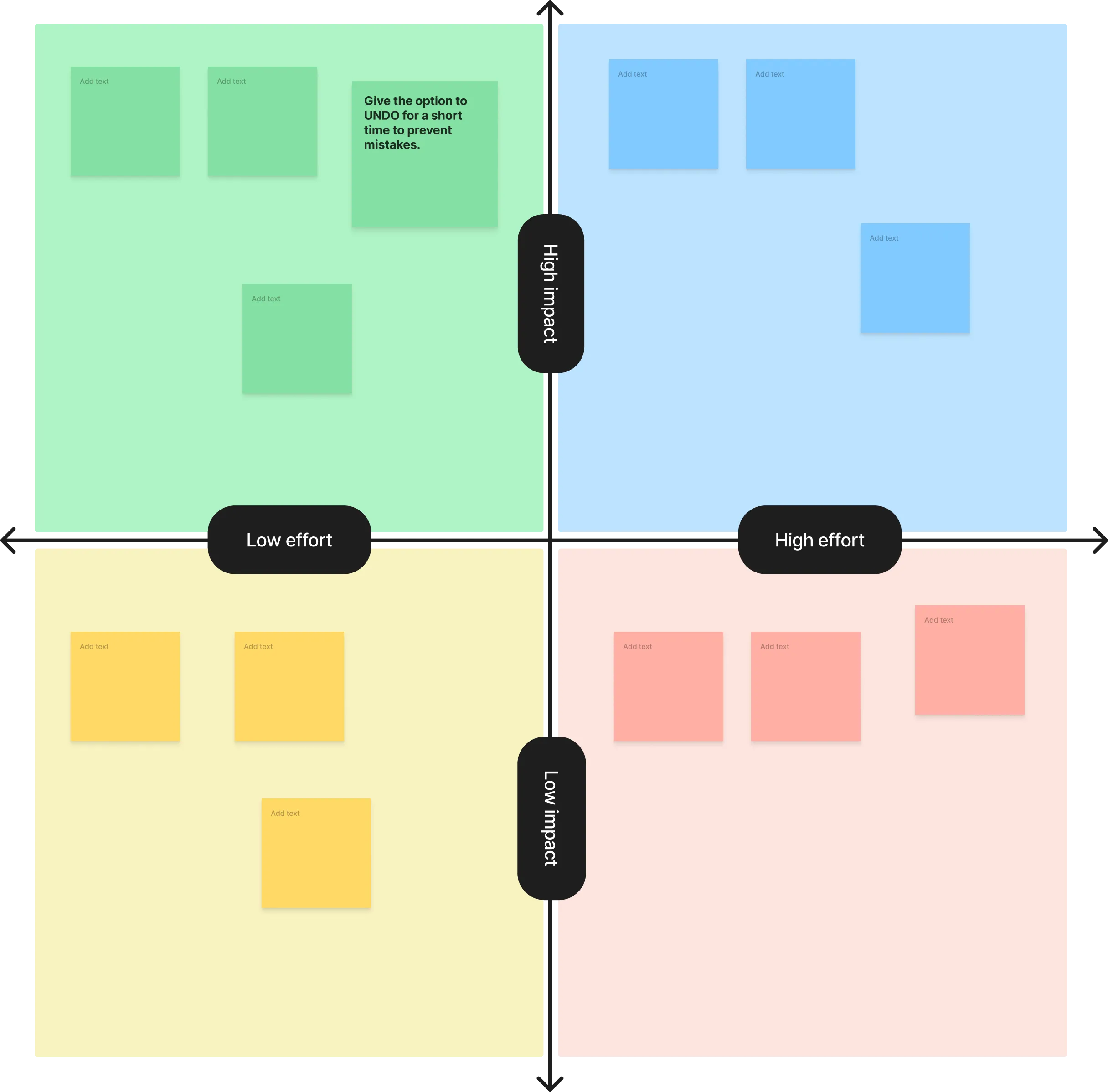 Impact Effort Matrix — used to prioritise the design opportunities
Parallel to user research, there was market research done as well, on how other platforms have implemented the Wishlist. I delegated this task to the fellow designer of the communication department.
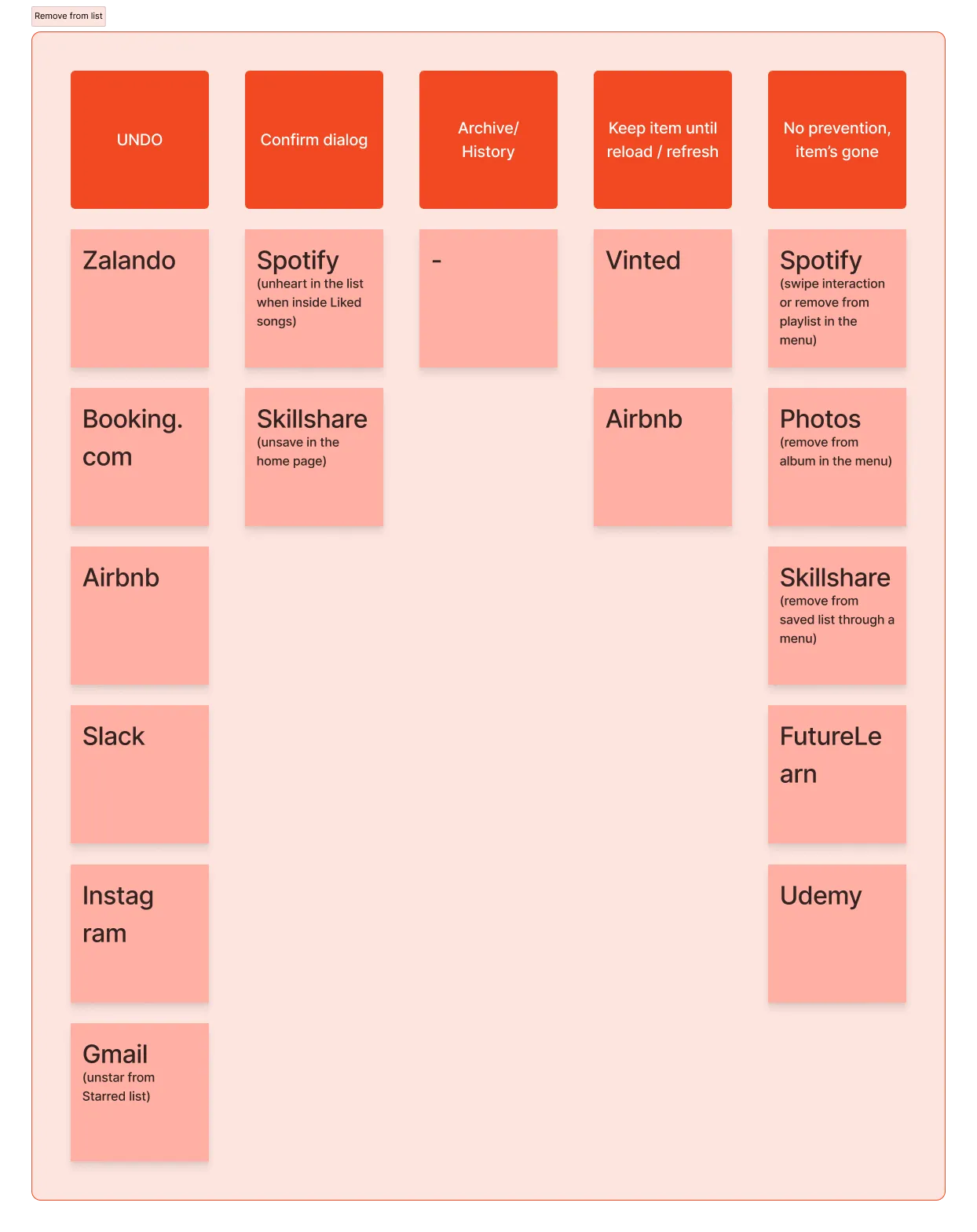 The remove from list interaction design
Now tis’ time to design. Beep bop boop.
The design system to the rescue
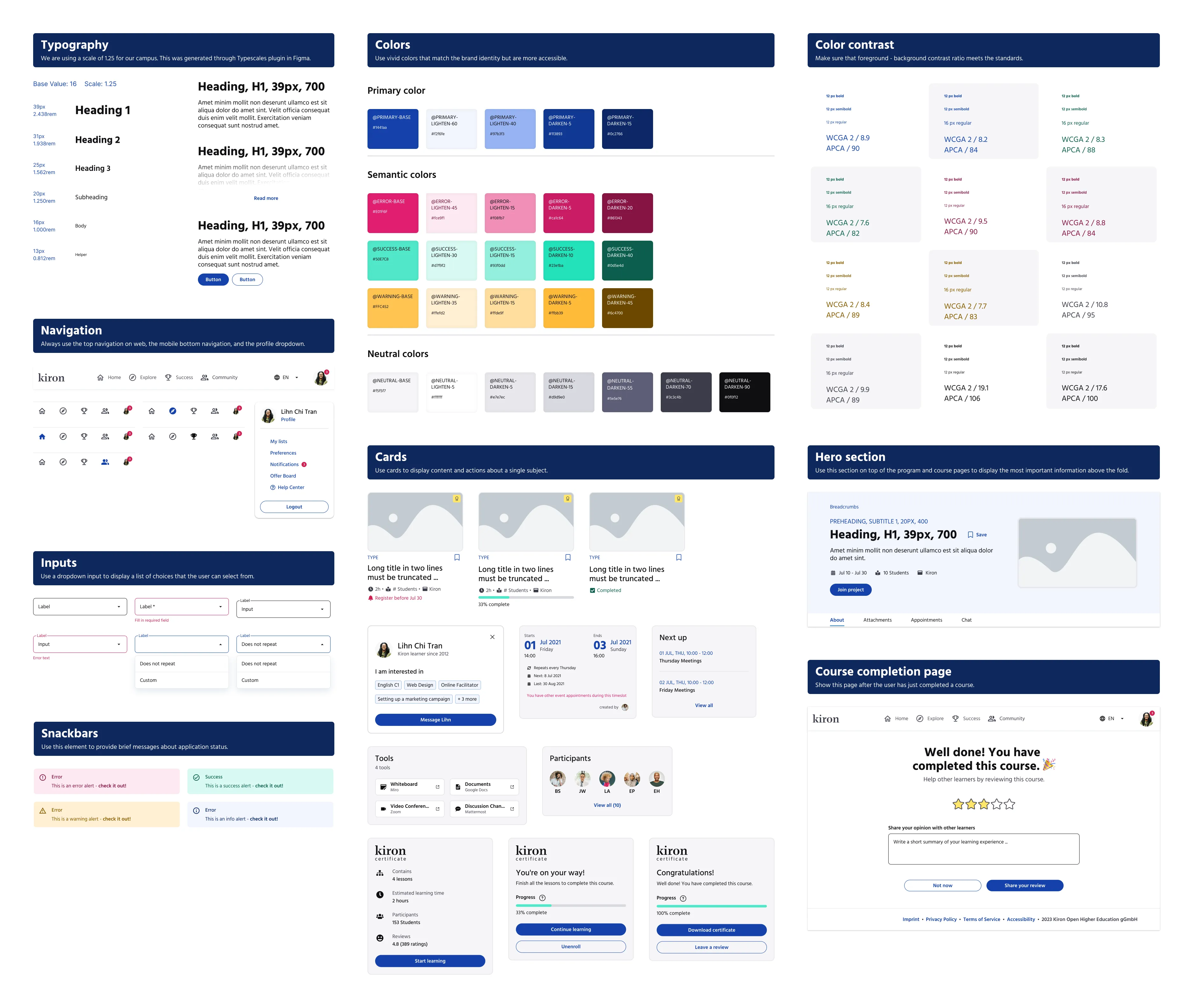
I cannot emphasise how obsessed I am with working with components. After all I am a Bounding Boxer. I am also very proud of the design system I have built at Kiron. It made work so efficient. I organised the component/pattern library of the design system into Atoms, Components, Cards, Compositions, and Pages.
A snippet of the Kiron design system component library
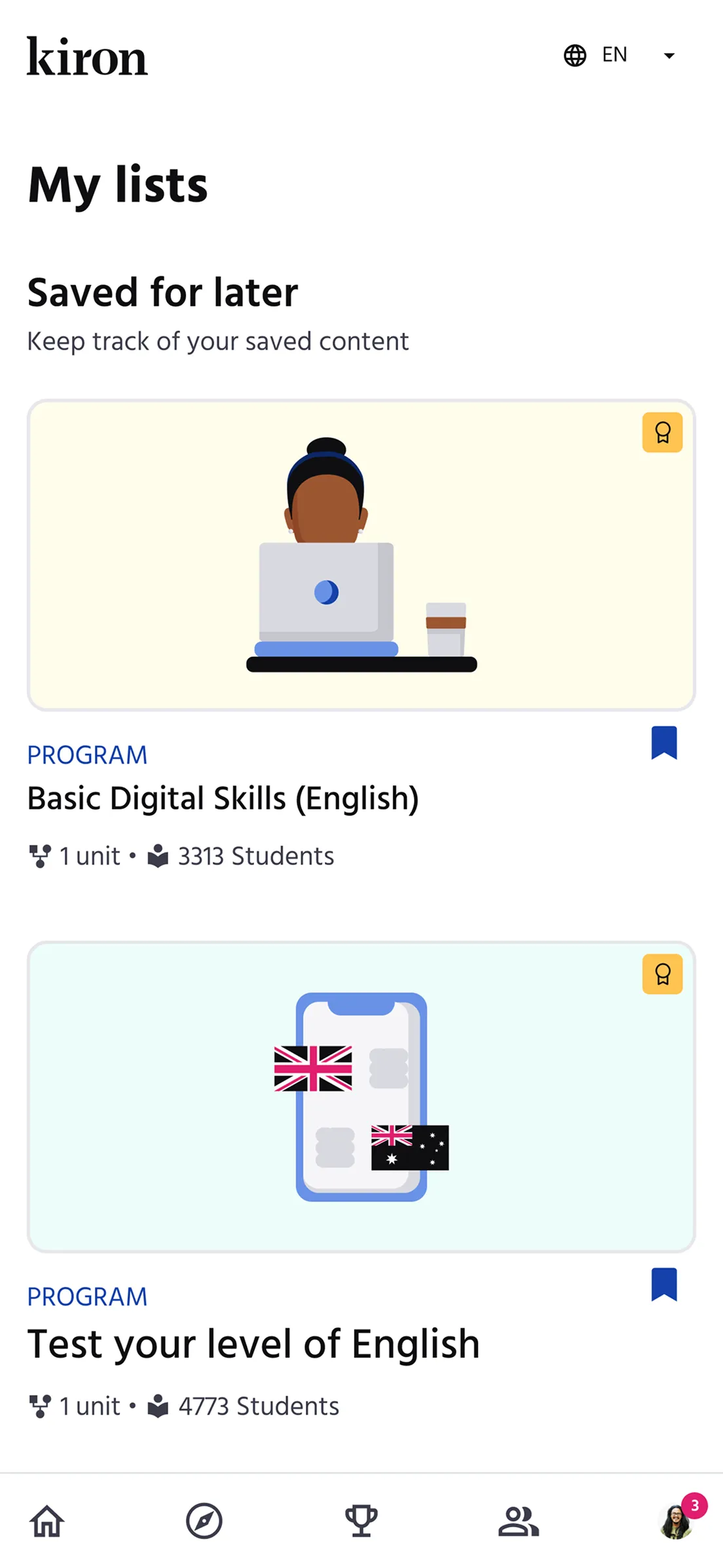
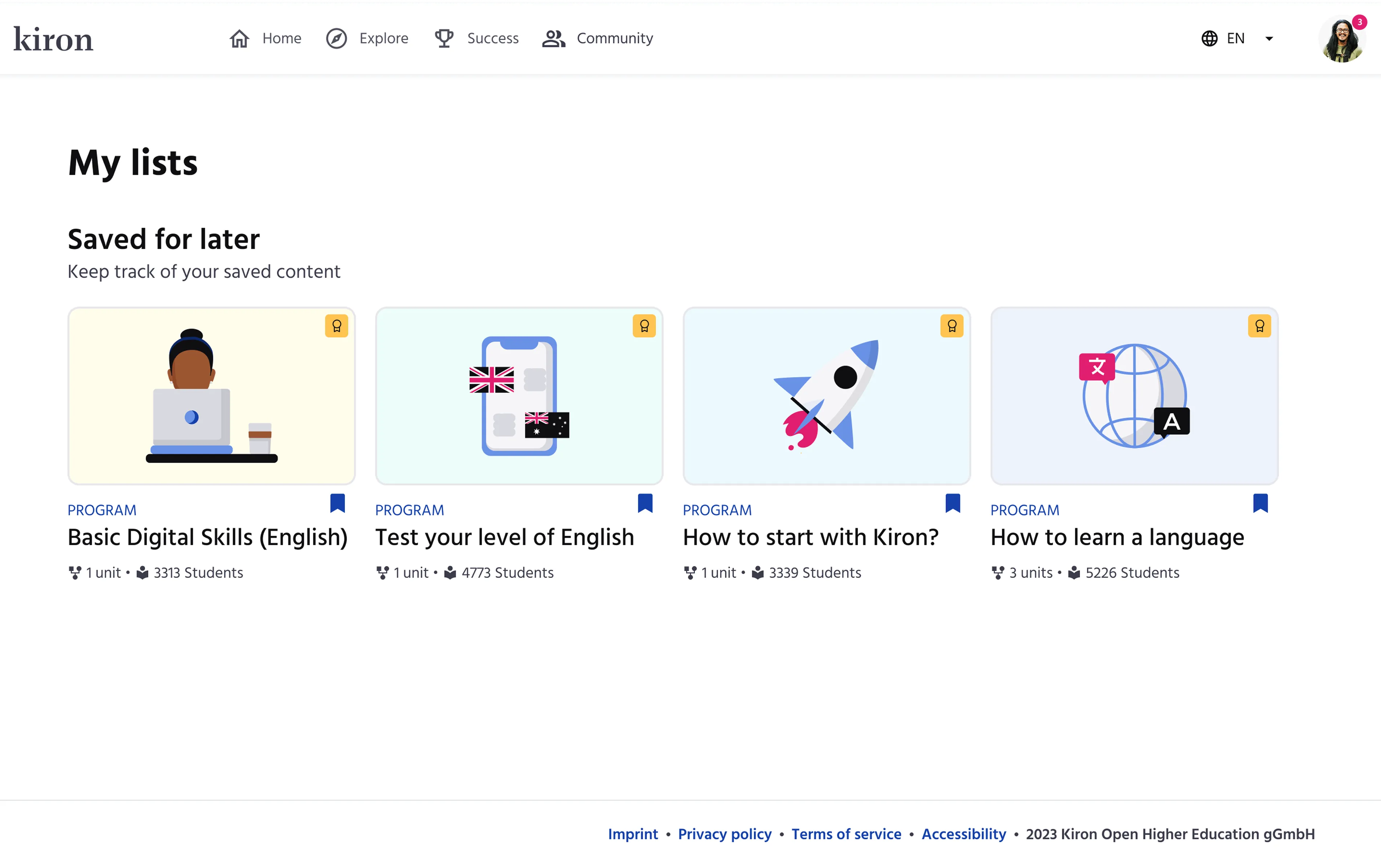
For this use case, I had to create a new page to show the Wishlist, so I grabbed the top & bottom navigation, text components, profile dropdown, and program cards to compose it together. Note that the page is called My lists, since we are expanding with the custom lists functionality later.
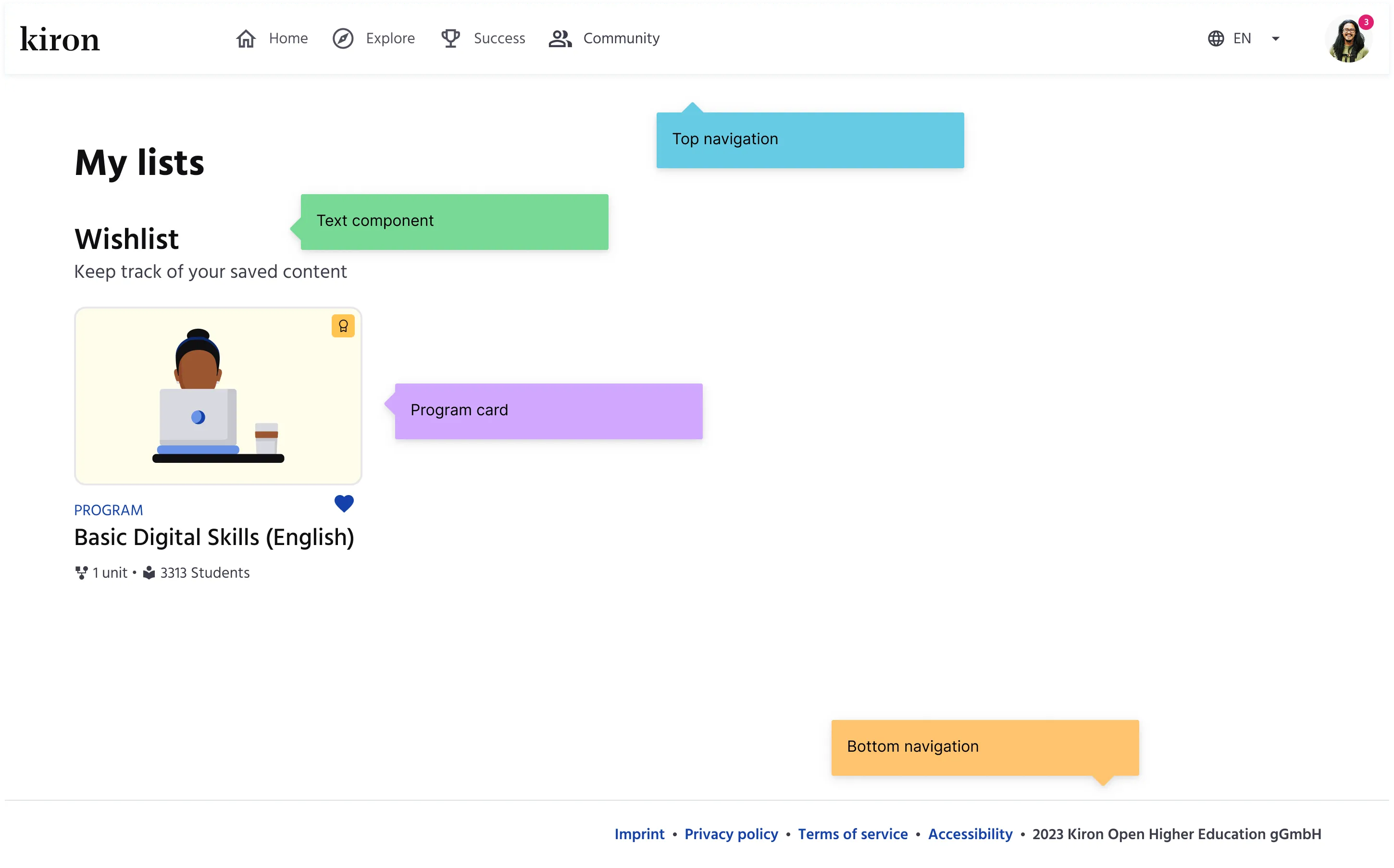 My lists page composed of top navigation, text components, program card, and bottom navigation.
The entire interactive prototype took a couple of hours to be ready for some usability testing. Woop woop.
A wish come true
Before testing the design with the learners, I checked the feasibility with the dear developers, who in addition made sure that I deliver the best work.
I had chosen the heart icon for saving, so the devs naturally questioned if that was the right choice (heart = like) and if that would scale with custom lists. Sharp brains. Hence, I switched to the bookmark icon.
All settled, now, how do the learners use it? I could test the new design with only 4 learners, and it turned out, saving/removing a program to/from the Wishlist was straightforward.
However, the term Wishlist caused confusion for two of them, as it could mean a list of programs that the learner cannot access right now, but would like to have.
I then decided Saved for later would suit the purpose of this list the best. Additionally, it is simpler language and it can be easily translated into other languages as well.
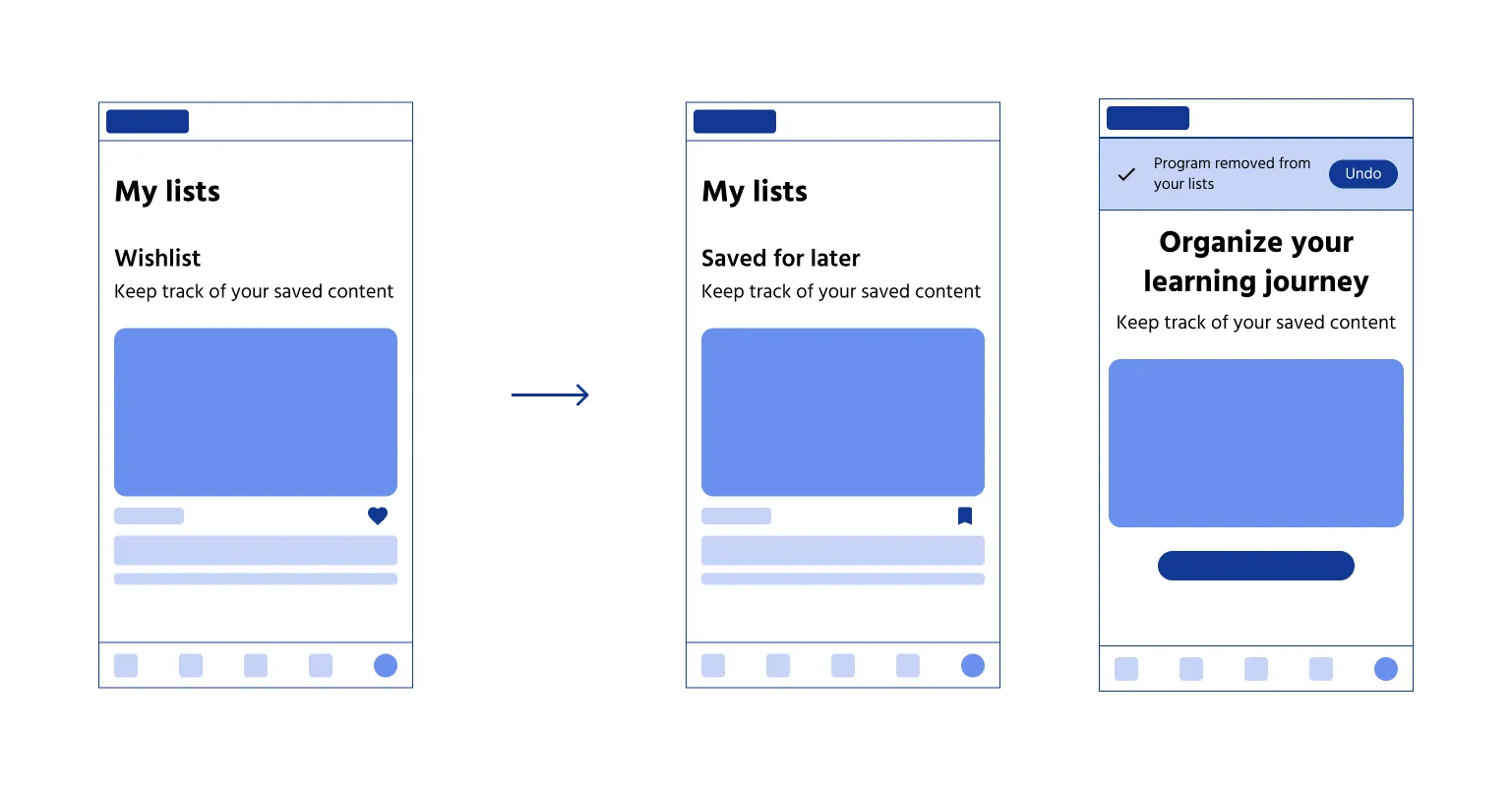 Overview of the mobile screens for the Saved for later feature
A better learning experience
How many learners use it? What are the touch points of interaction? For instance, they may engage with it on their personalised home page, while exploring new programs, or inside a specific program page. Do they notice and use the UNDO functionality? How did this feature impact their learning experience?
While I’m no longer present to ask these questions, the answers will undoubtedly influence the future versions of this feature.
Refer to the final designs below.
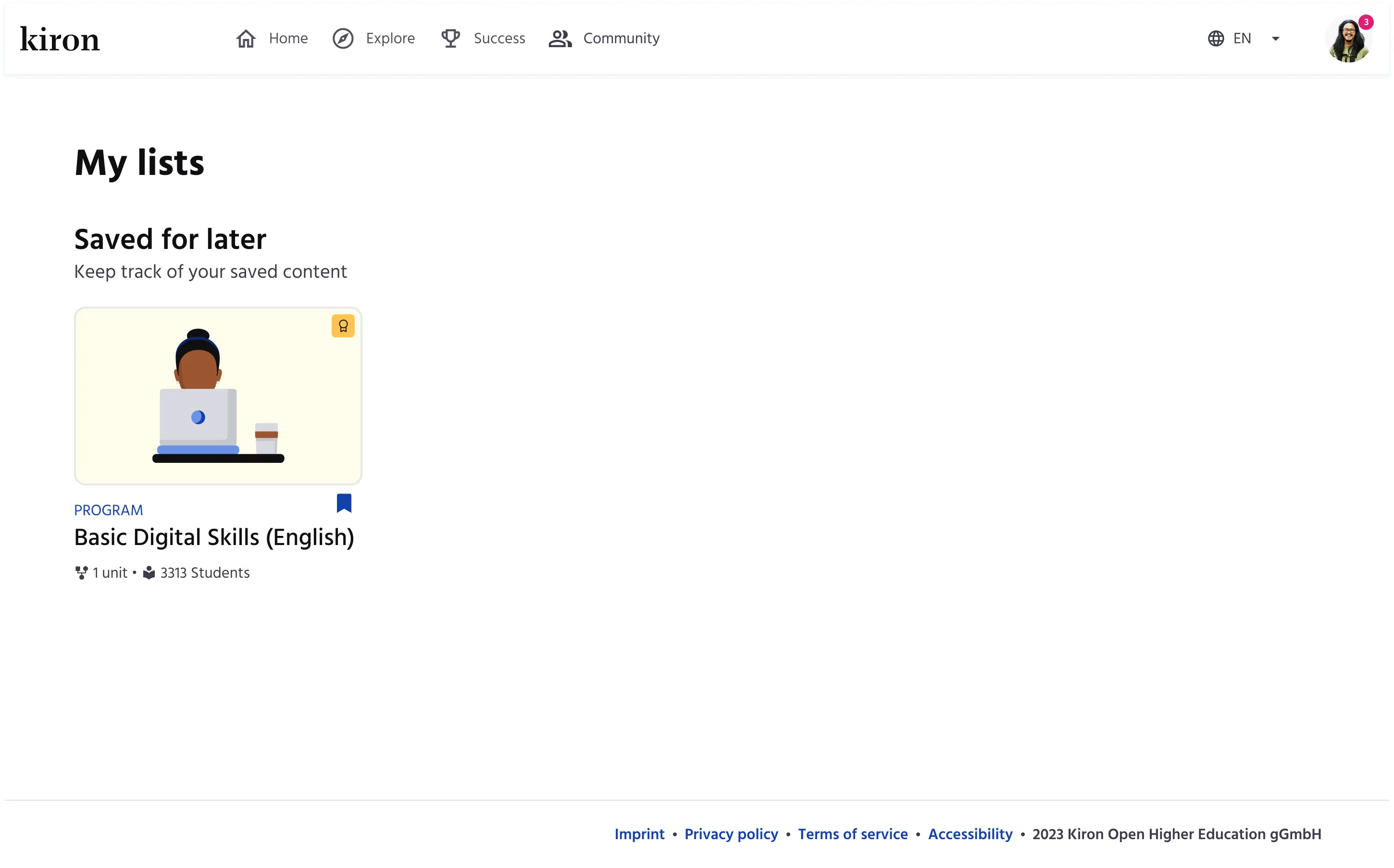 Final hi-fi design of My lists page - One saved program
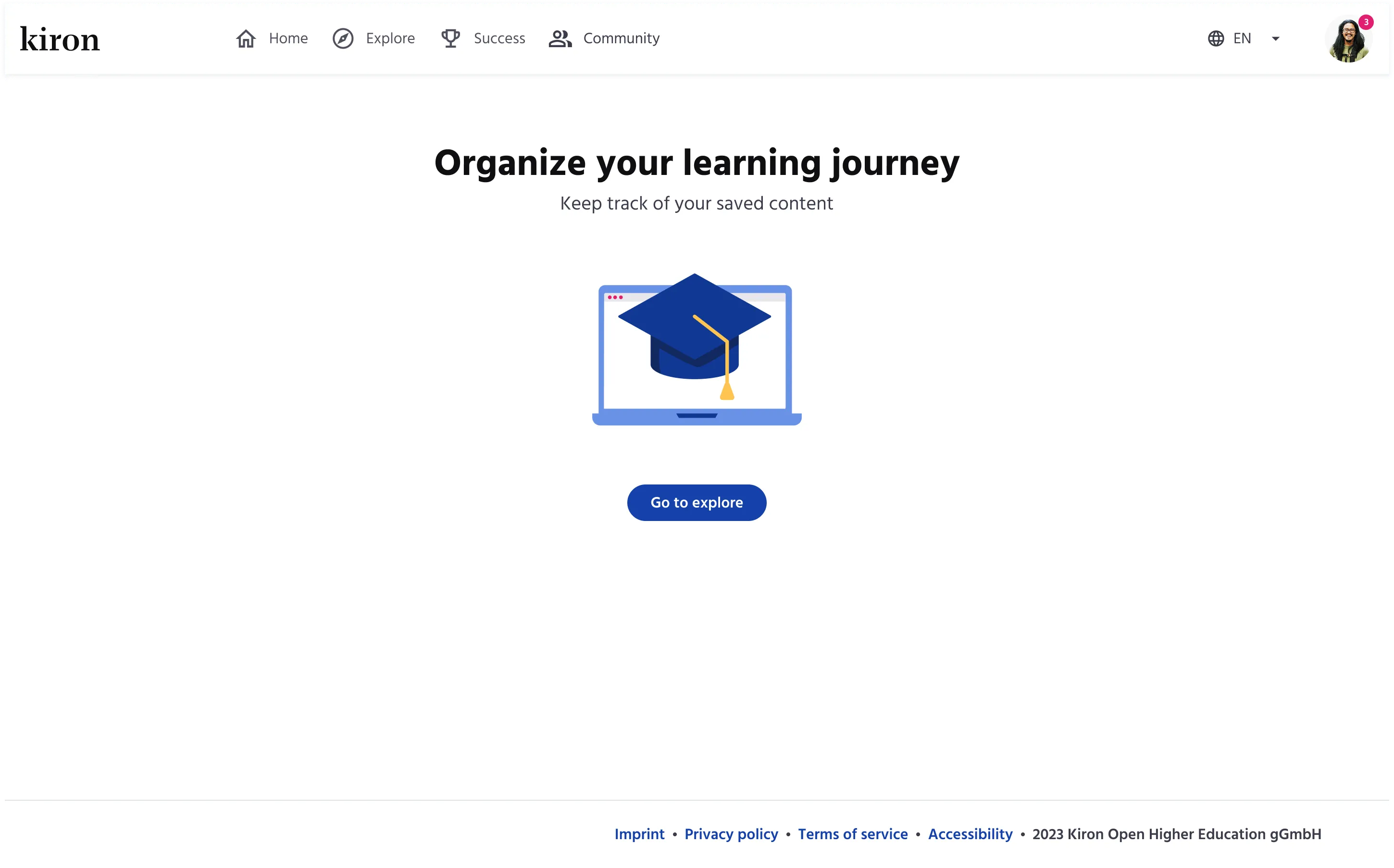 Final hi-fi design of My lists page - Empty state
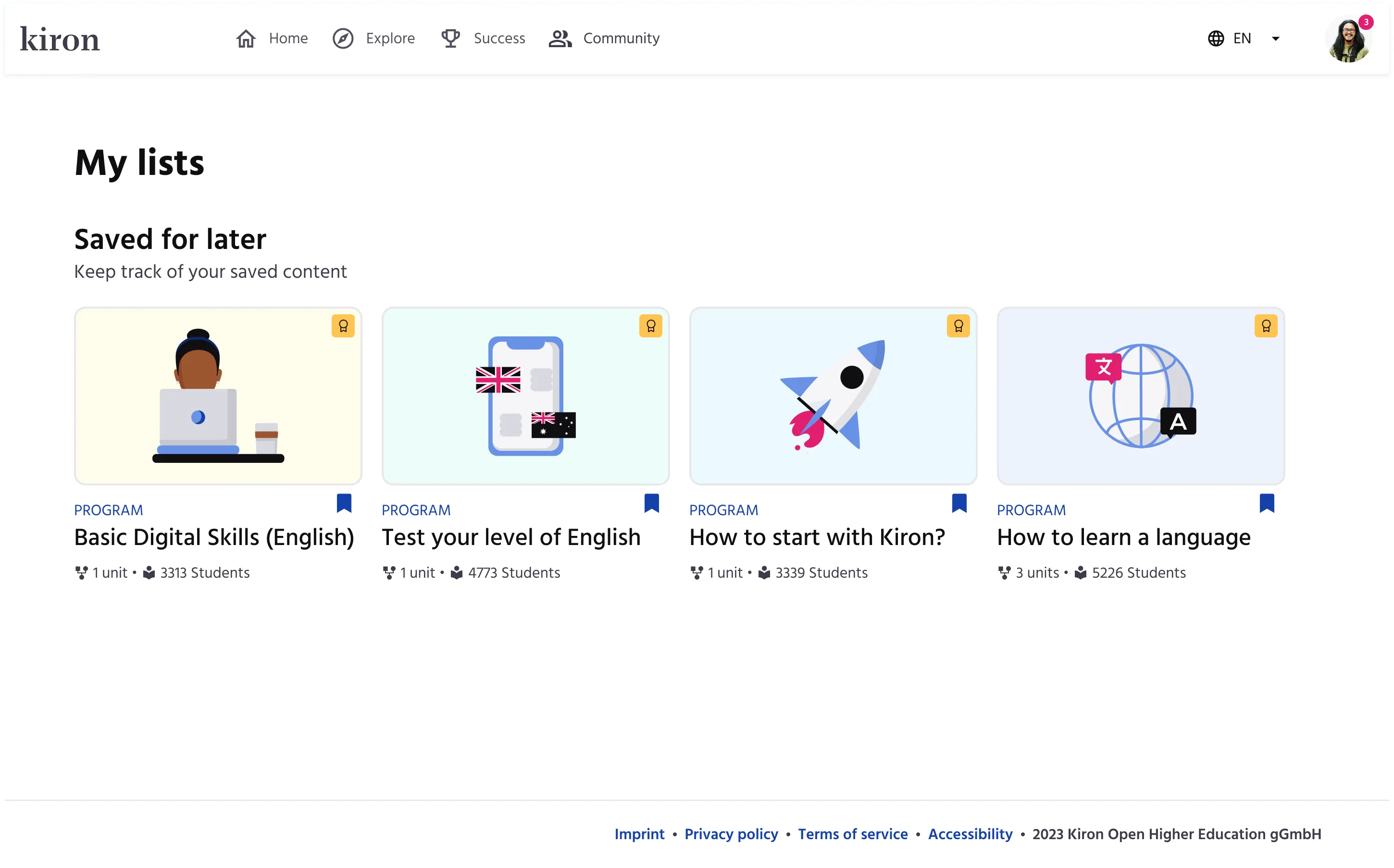 Final hi-fi design of My lists page - Four saved programs
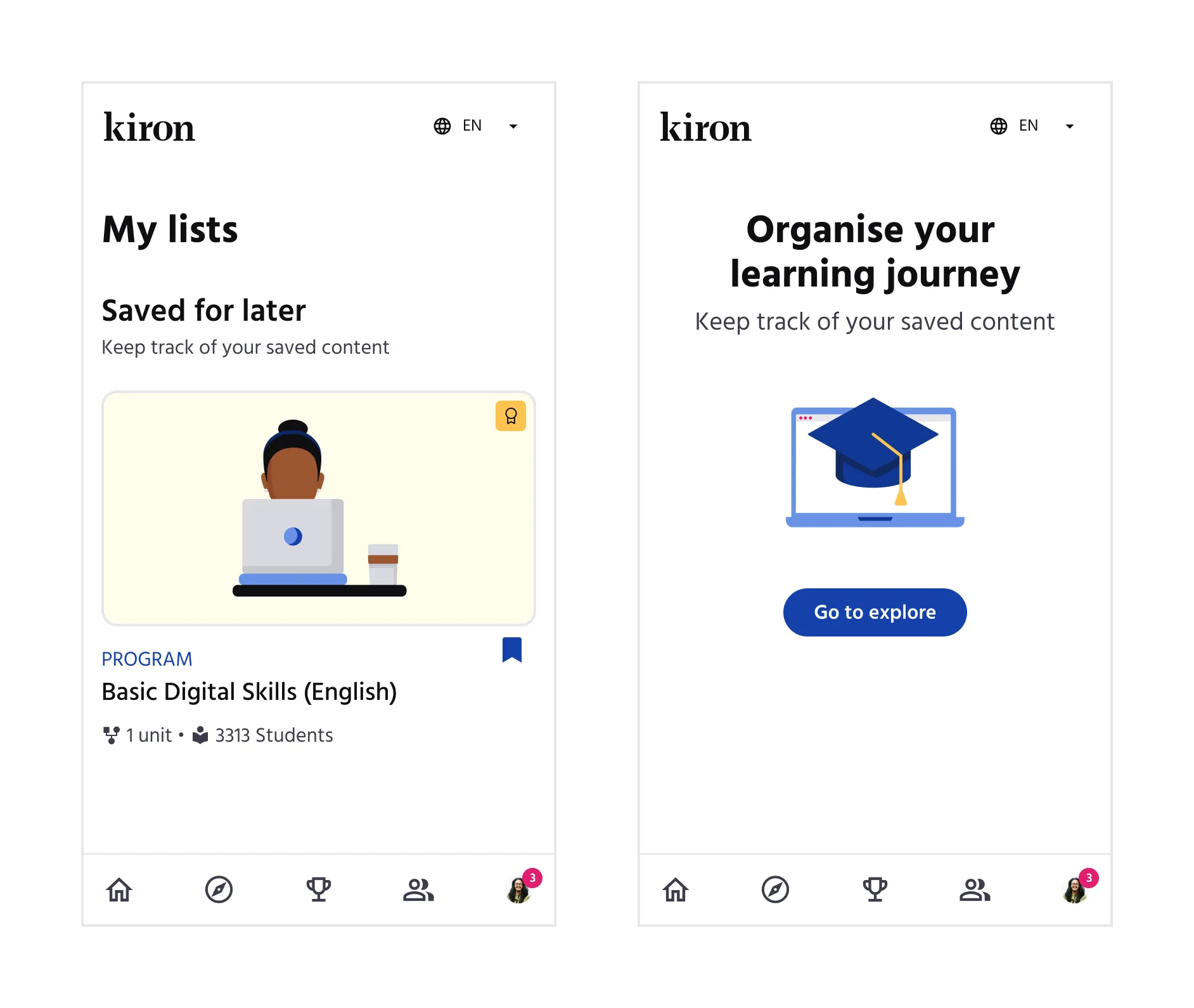 Final hi-fi designs of My lists page - Mobile version
What would I do better?
This was quite a trivial design challenge, but it wasn’t without a little friction.
We released the feature as the Saved for later list, but the white label partners were not happy with that and requested the original Wishlist term. They did agree once I explained the reasoning behind, but it was crystal clear to me that I should have informed them about the decision before the release.
Other work
Paulina24Increasing conversion rates through deep funnel analysis
The startup saga continues. The heroine is back to save the day.
concludioAnalyzing churn within a lean startup context
My friends say I was brave to take the entrepreneurial route. I'd like to believe that.
kiwiVisualizing UI pattern relations through interactive prototypes
My master's thesis marks the beginning of my UX design career.